GPT-5.4 is now in Ropilot Studio with AI playtesting
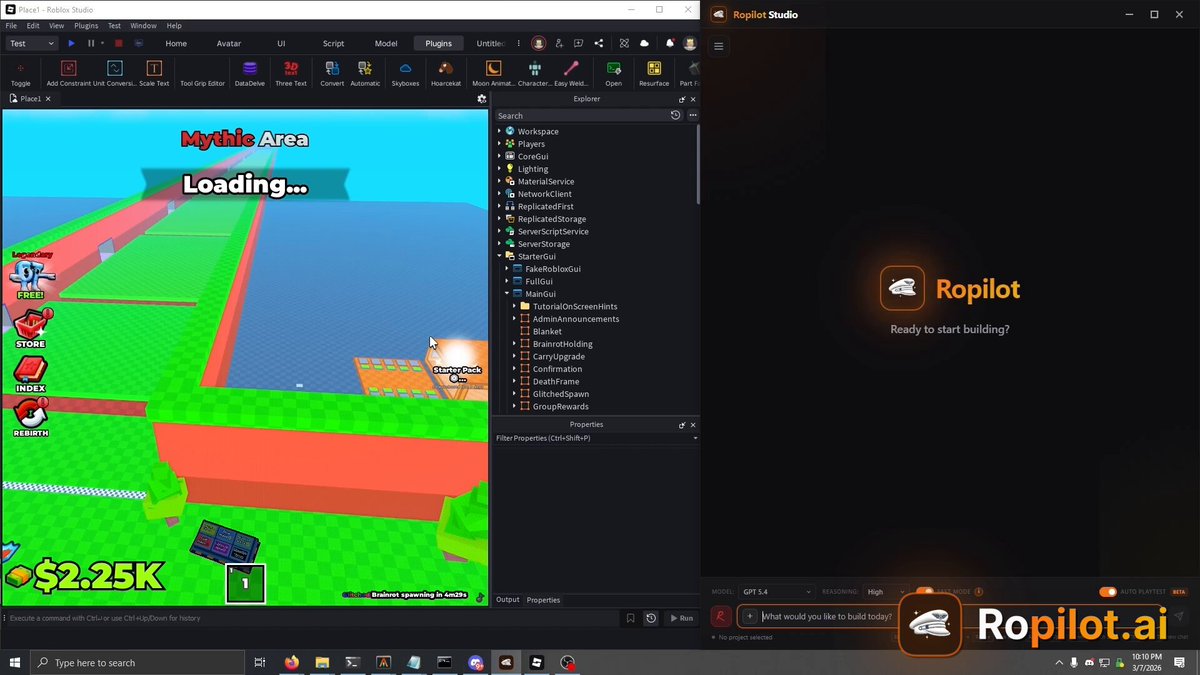
GPT-5.4 is in Ropilot Studio. The announcement also introduced two playtesting upgrades: Advanced Input Simulation and Playtest Screenshot Capture.
That combination matters because Roblox AI development should not stop at generating code. A real Studio assistant needs to click through the feature, inspect the result, and verify whether the change worked.
The source post announced GPT-5.4 in Ropilot Studio, plus Advanced Input Simulation and Playtest Screenshot Capture for verifying Roblox features step by step.
What changed
The model update gave Ropilot another strong option for code generation and agentic work. The playtesting update changed what happens after code is written.
- Advanced Input Simulation: Ropilot can interact with the running Roblox playtest instead of only reading static code.
- Playtest Screenshot Capture: Ropilot can capture the screen and use visual feedback to check what happened.
- Step-by-step verification: Ropilot can move through UI flows, inspect state, and catch issues that only appear after interaction.
Why it matters for Roblox creators
Roblox bugs often live in the gap between code and interaction. A shop script can compile while the button never fires. A rebirth system can save the wrong value. A tutorial can work on desktop and overlap on mobile. A purchase flow can look correct until the second click.
Input simulation and screenshots give the AI a way to test those flows in Roblox Studio. That is the difference between a pasted snippet and a feature that has been exercised in the actual game.
Where to use it
The playtest loop is strongest for features with visible state and player interaction:
- Menus, shops, buttons, and purchase flows.
- Rebirth, reward, checkpoint, and round systems.
- Mobile UI where overlap or tap targets can break the experience.
- Bug fixes where the AI needs to prove the issue is actually fixed.
The original post also included a promo-code offer for free Ropilot Actions. Promotions can change, but the product direction from that announcement is still the point: Ropilot is built to write the code and test the result inside Studio.

Try code that tests itself
Describe a Roblox feature. Ropilot writes it, opens the playtest, clicks through it, and checks the result.
Start building free