We open-sourced Pinevex Renderer, a Roblox UI engine for AI iteration
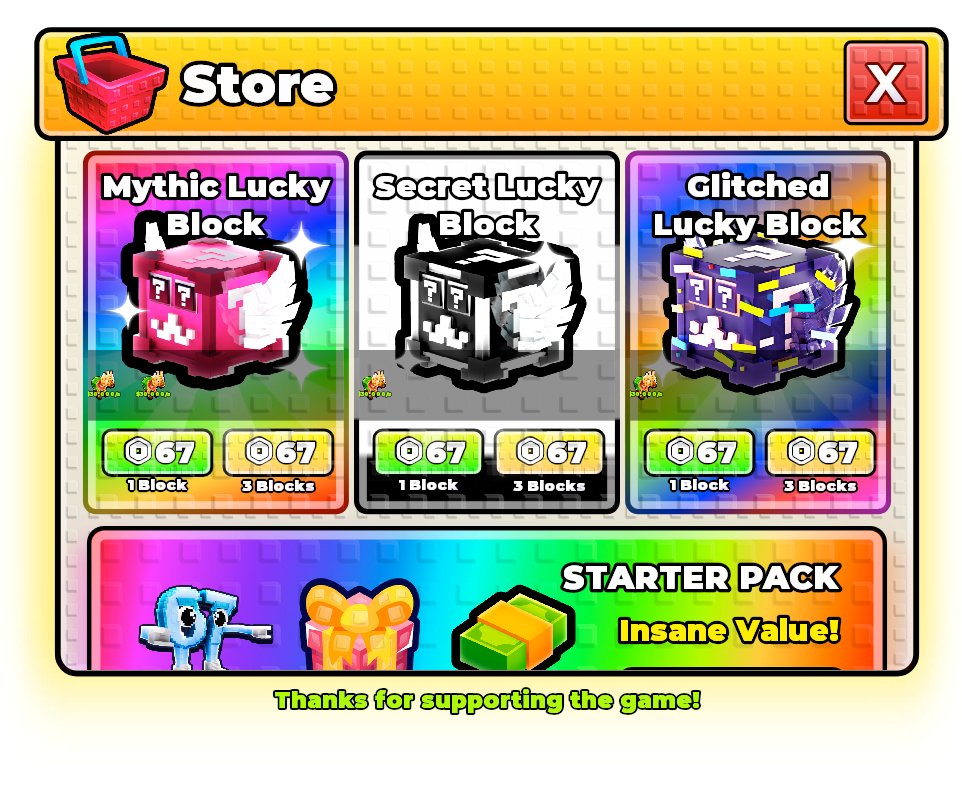
AI cannot reliably improve Roblox UI if it cannot see what it made. That was the idea behind the Pinevex Renderer announcement: UI in, preview out.
Pinevex Renderer is an open-source Roblox-style UI renderer. It takes a structured interface tree and produces a preview image so layout, spacing, overlap, text fitting, and hierarchy can be inspected before the UI lands in Roblox Studio.
The source post announced an open-source Roblox UI engine for AI iteration and linked the renderer on GitHub.
View the original post on X or open Pinevex Renderer on GitHub.
Why Roblox UI needs a render loop
Roblox UI is visual. A model can produce a ScreenGui tree, but without a preview it has no feedback on whether the result actually reads well. The button may be technically present while the label clips. The layout may be valid while the mobile version overlaps. A frame may exist in the right parent while the visual hierarchy is wrong.
A renderer closes that loop. It lets an AI agent generate interface structure, render it, inspect the output, and revise. That is the difference between guessing at UI and iterating on UI.
What Pinevex Renderer does
- Renders Roblox-style UI trees into PNG previews.
- Supports nested hierarchy, layout, text, strokes, gradients, rounded corners, and image references.
- Helps validate whether generated UI can be inspected before it reaches Studio.
- Creates a foundation for reconstruction, synthetic data, and agent feedback loops.
How this connects to Ropilot
Ropilot is focused on the full Roblox development loop: read the game, write Luau, apply changes, and playtest the result. UI rendering belongs to the same principle. If an AI is going to build real Roblox features, it needs feedback from the environment, not just text from a chat window.
Pinevex is open source because this problem is bigger than one product. Better Roblox AI tooling needs better ways to see, test, and validate what the AI builds.
Use it for Roblox UI experiments
If you are building AI tools, synthetic UI data, reconstruction pipelines, or Roblox interface experiments, Pinevex Renderer gives you a concrete rendering target. It is not a replacement for testing in Studio, but it gives the AI a visual loop before Studio becomes the final judge.

Build Roblox features with feedback
Ropilot brings the same feedback-loop idea to code: write the Luau, apply it in Studio, and playtest the result.
Start building free