



The Roblox MCP server
for Claude, Codex & Cursor.
Ropilot gives your AI agent real hands inside Roblox Studio. Over MCP, it reads your game tree, writes and edits Luau, and runs playtests — so your Claude, Codex, or Cursor session ships working features, not snippets you still have to place and debug. Free to start.
Assistant suggests. Ropilot proves. See the honest comparison.
 Claude
 Codex
Codex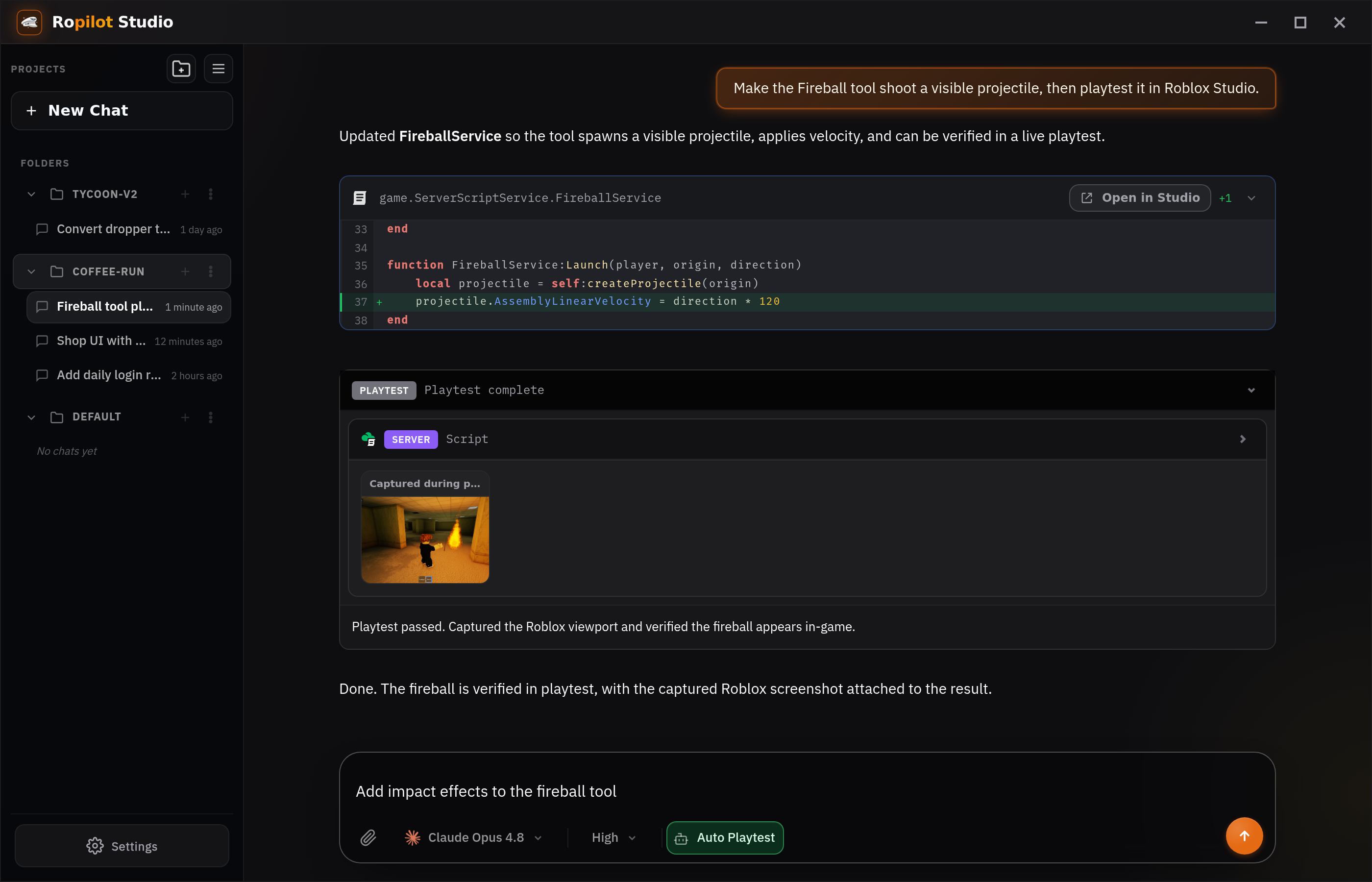
Give your agent hands in Studio.
Ropilot exposes Roblox Studio as MCP tools. Your agent doesn't guess — it reads the real project and acts on it.
Your real place
List the game tree, read scripts and properties, and search instances — the agent works from the actual project, not assumptions.
Luau, in place
Create and edit Scripts, LocalScripts, and ModuleScripts in the right service. Reviewable changes, idiomatic Luau.
Playtests
Start a playtest, run client and server code, and capture screenshots — so the agent verifies its own work before you ship.
Install once. Connected automatically.
Ropilot speaks MCP, the open standard for AI tools. Install it and your agents pick up the Roblox Studio tools on their own — no setup commands.
Install Ropilot
Download the Ropilot app for Windows, macOS, or Linux. It pairs a lightweight Studio plugin with your desktop.
MCP added automatically
Ropilot registers its MCP server with your agents on its own — Claude Code, Cursor, Codex, and other MCP clients pick up the Roblox tools, no manual config.
Prompt it to build
Ask for a feature. Your agent uses Ropilot's Studio tools to read, write, and playtest it live — on your own AI plan. Prefer a managed model instead? Ropilot Studio runs the frontier lineup directly, including GPT-6 Astra.
Questions, answered.
What is the Roblox MCP server?
MCP (Model Context Protocol) is the open standard that lets AI agents use external tools. Ropilot is the Roblox MCP server: it exposes Roblox Studio as MCP tools so your agent can read your game tree, write and edit Luau, and run playtests inside the real project.
Which agents can connect to Studio?
Any MCP-compatible agent — Claude Code, Cursor, Codex, Windsurf, and others. Installing Ropilot adds its MCP server to them automatically. If your agent speaks MCP, it works with Ropilot.
How do I connect my agent?
Install Ropilot. The desktop app registers its MCP server with your agents automatically — Claude Code, Cursor, Codex, and other MCP clients pick up the Roblox Studio tools with no manual config or setup commands.
What can the agent do in Studio over MCP?
It reads the real project — services, scripts, properties, instances — then creates and edits Scripts, LocalScripts, and ModuleScripts in the right place, runs playtests, executes client and server code, and captures screenshots to verify its own work.
Is it free?
Yes — free to start, with 500 Ropilot Actions a month and no credit card. Bring your own Claude or ChatGPT plan for the AI, and upgrade Ropilot Actions only when you need heavier Studio usage.
Point your agent at Roblox Studio.
Install Ropilot and it connects Claude, Codex, or Cursor to your real project — to read, write Luau, and playtest.
Connect your agent free